Every trip recorded. No paper.
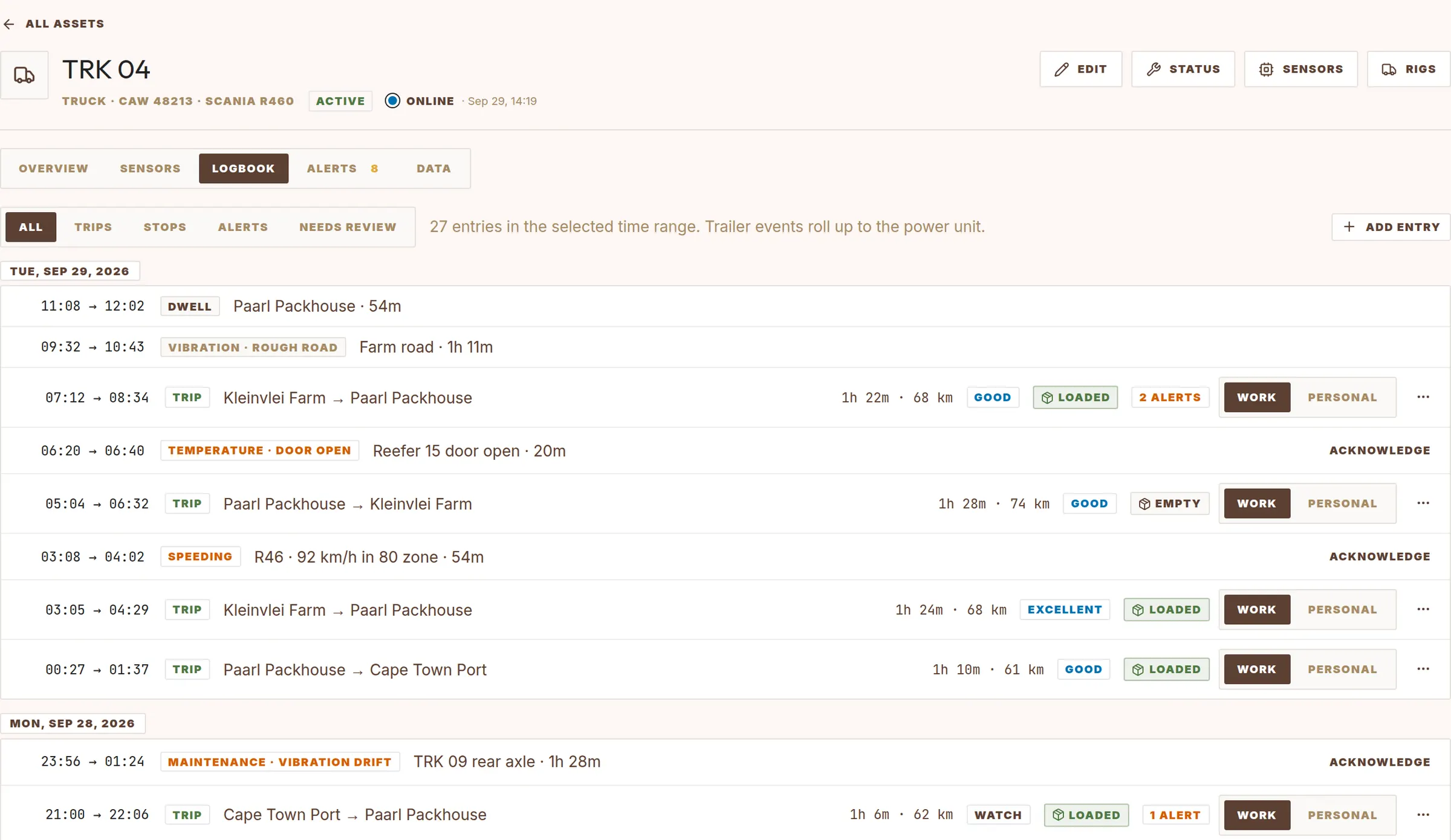
Cheka makes a logbook entry for each trip. It names the trip from your zones and tags it from your rules. You only check the trips that need a decision.
A complete record for each trip.
- Start and end time, duration and distance.
- Start and end place, from your zones. For example Kleinvlei Farm → Paarl Packhouse.
- Stops, with the place name and the time stopped.
- Tags from your rules, for example delivery or field work.
- Alerts, ride score and load state.
- Work or personal.
Zones and tagging rules.
A zone is an area on the map, for example a farm, a packhouse or a depot. Each zone has a category. A tagging rule connects a movement between categories to a tag.
| Rule type | Example | Tag |
|---|---|---|
| Leave and enter | leave farm → enter packhouse · trucks | delivery |
| Leave and enter | leave packhouse → enter port · trucks | export_delivery |
| Enter only | enter block · tractors | field_work |
| Enter only | enter workshop · all vehicles | service |
| Leave only | leave farm · bakkies | off_farm |
When more than one rule matches, the rule with the highest priority wins.
You stay in control of the record.
Work or personal
Mark a trip as work or personal. Personal trips go to a review list, where an admin approves or flags them.
Split and merge
Split a trip at an event, or merge it with the trip before or after. Use this when a stop was too short or too long.
Manual entries
Add an entry with a type, reason and notes, for example a breakdown or a fuel fill.
Edits are recorded
Each edit stores who made it and when. The raw tracker data does not change.
Take the logbook with you.
Download trips and events as CSV for any date range. Use the file for your own reports, for invoices or for your tax logbook.
- Trips with start, end, places, distance, duration and tags.
- Events and alerts with time, place and value.
- The trips list and the vehicle logbook use the same data, so the numbers always agree.